Buying a used robot vacuum: a 30-minute inspection checklist
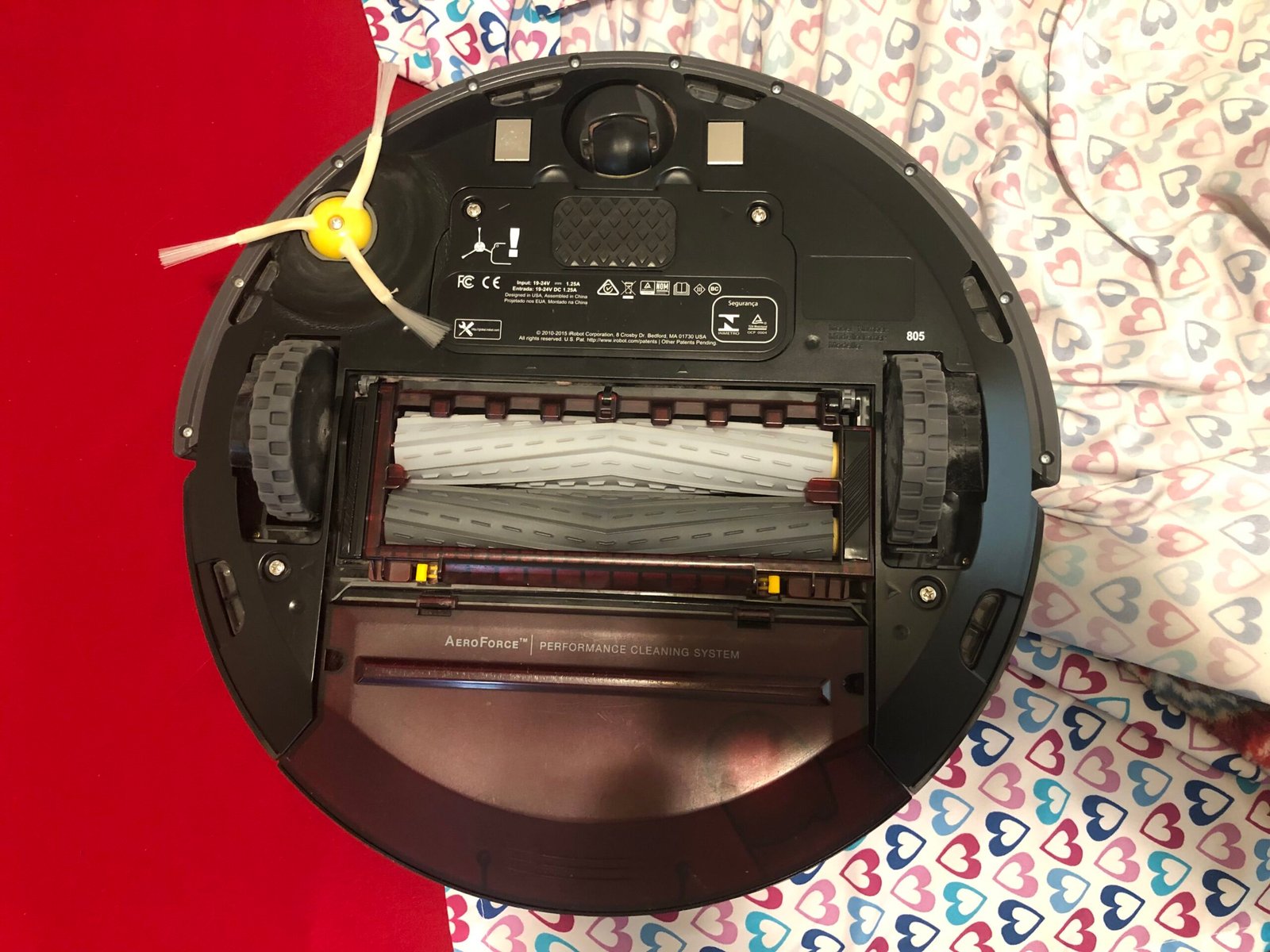
Featured photograph: Roomba 805 underside as an inspection example, not a unit tested by RoboMorrow. Piperpet / Wikimedia Commons, CC BY-SA 4.0. Image source.

I would not buy a used robot vacuum on the strength of a ten-second video of it moving. A costly mistake is a complete-looking bundle that you cannot add to your own account, charge or operate normally. The following 30 minutes are an initial screening procedure, not a battery-health assessment or a promise of reliability.
This is our proposed purchasing checklist. It is not the result of a RoboMorrow test of a particular used unit. Follow the exact model's instructions for setup, handling, cleaning and disconnection.
“Refurbished” does not automatically describe the work
Ask who refurbished the machine, what was inspected and which parts were replaced. New pads and polished plastic do not document the condition of a pump, battery or charging system. Look for a record of the work tied to the particular unit, not a reassuring adjective in the listing.
For example, the US iRobot Certified Restored programme describes functional checks, servicing and cleaning, with its own programme conditions. Those conditions do not automatically apply to a private sale, another country or every marketplace listing labelled refurbished. Manufacturer's programme description.
Separate three categories when comparing offers: a new product, a refurbished unit with a documented scope of work, and an ordinary used unit. Compare the seller's actual commitments. This guide does not determine the parties' legal rights or obligations.
Minutes 0–5: identity and completeness
Match the labels on the robot and dock to the offer and purchase documentation. Record the complete version, not just the product family. Check that the bundle includes its required ramp, cable, tanks, mop holders and any other parts listed in the manual.
Do not power equipment with a damaged cord, evidence of overheating or an active leak. Do not open a battery or bypass a protective system. Such a finding ends a normal buyer inspection and calls for professional assessment.
Photographs at handover can document condition, but keep the serial number, seller's paperwork and account details private. They are evidence for the transaction, not material to publish in a review.
Minutes 5–10: your account, not the seller's phone
Ask the seller to remove their personal data and follow the manufacturer's transfer procedure. Then check that you can add the device to your own app. Do not pay for a promise that an account problem will disappear later. Do not ask for the seller's password or attempt to defeat an account lock.
Procedures differ by model. A network reset should not automatically be treated as a complete data wipe or transfer of ownership. Contact the manufacturer's support with the model and error message when the required procedure is unclear. Do not send login credentials. Roborock's official support starting point.
Successful setup at collection does not establish compatibility with every home network either. Record the conditions of the demonstration and the networking requirements stated in the manual.
Minutes 10–20: a short run with a complete sequence
Run a normal, safe section of floor. Observe starting, movement, brushes, messages and the return to the dock. Do not scatter liquid or material that the manual prohibits the machine from collecting. The point is to see ordinary operation, not manufacture a dramatic challenge.
Record starting and finishing charge, the mode and elapsed time. That is an observation, not a battery-health percentage. Ten minutes cannot establish full-home endurance or long-term durability. For a higher-priced used unit, agree a longer cycle with the seller before deciding.
A useful result includes what did not get checked. Marking a function as untested is more honest than treating the absence of an error during a short run as proof that everything works.
Minutes 20–30: inspect the dock as a second machine
Exercise the functions actually included with the bundle: charging, emptying the bin, washing pads or other specified routines. Do not judge washing from the sound of a pump alone. Check the result, any messages and whether the system returns to a ready state. Follow the manual and keep away from hot or moving components.
Check access to removable containers. Record visible residue, missing seals, damage or unusual odour without turning appearance into an unsupported technical diagnosis. Ask the seller to explain and obtain a service quotation where appropriate.
This is where a cheap-looking offer can become expensive to prepare. The relevant purchase is a working system, not a robot body with an attractive original retail price.
Calculate the saving after preparation
An illustrative euro example: the used bundle costs €300, confirmed missing parts and initial servicing add €75, and a comparable new option costs €450. The remaining saving is €75, not €150. These are independent assumptions for this example, not market quotations or converted Polish offers.
List confirmed costs, unconfirmed costs and items without a quotation separately. Do not invent a precise monetary allowance for an unexplained fault. When an important defect cannot be priced, the transaction remains difficult to compare even after an extra discount.
A record you can use at collection
| Acceptance question | What to record |
|---|---|
| Does the robot and dock match the offer? | Match, mismatch or unresolved |
| Can it be added to your account? | Completed or failed |
| Did the normal run and return work? | Sequence and messages |
| Which dock functions were checked? | Completed and untested functions |
| What is missing or needs work? | Confirmed quotation or unpriced |
| Who provides support afterwards? | Seller, scope and documentation |
I would reject the purchase if identity, account access or the cost of an important defect remains unresolved. I would consider it when the agreed checks pass, the seller's commitments are clear and the actual saving justifies the remaining uncertainty.
For the wider cost picture, see RoboMorrow's annual maintenance guide. For upkeep rather than buying, use the dock-cleaning guide.