How to clean a robot vacuum station: complete maintenance guide
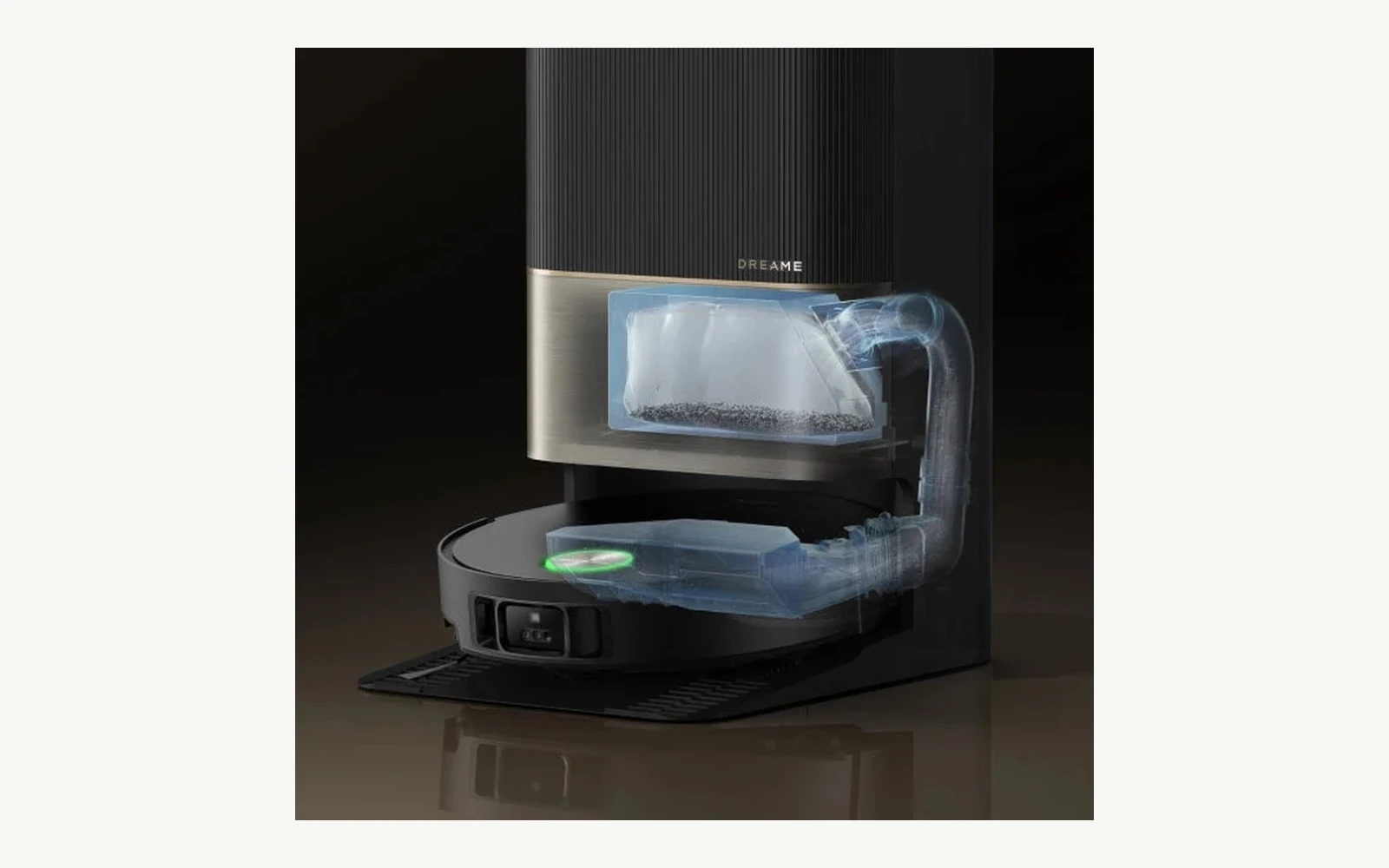
An automatic robot-vacuum station is not maintenance-free. The more work it takes over—dust emptying, mop washing and drying, detergent dosing and water handling—the more dirt is concentrated in one place. Regular dock cleaning is what prevents automation from turning into odour, residue and declining performance.
This guide answers how to clean the station. If you are still choosing dock features, start with our guide to what robot-vacuum stations actually do. Purchase intent and ownership maintenance are different questions.
Quick answer: what needs regular cleaning?
| Component | Action | Caution |
|---|---|---|
| Used-water tank | empty, rinse with clean water, remove residue | do not leave dirty water standing for days |
| Wash tray / washboard | remove hair, grit and residue; rinse removable parts allowed by the manual | do not flood electronics or sensors |
| Tray filter | remove and rinse when the manufacturer permits it | reinstall clean and according to the manual |
| Auto-empty duct | inspect for blockage and wipe dry | do not push debris deeper inside |
| Contacts and sensors | soft dry cloth | Dreame warns against damp cloths on sensitive elements |
| Dust bag | replace when full or prompted | do not wash a disposable bag |
| Robot filter | if washable: rinse and dry at least 24 h | never reinstall damp |
1. Check the manual before you add water
Some parts are designed to be removed and rinsed; others should be cleaned only when dry. Do not assume that because the station contains water, the entire dock is washable. Pumps, connectors, sensors and air ducts sit inside.
If a hot-water wash or drying cycle has just finished, allow components to cool. A leak, pump error or water outside the intended tray is a diagnostic issue, not something routine wiping should hide.
2. Used-water tank: the main odour source
The most useful rule is simple: do not store dirty water just because the tank is not full. Water collected after kitchen floors, entryways and pet mess contains organic material and can smell quickly in a warm closed tank.
Dreame instructs users to remove the used-water tank, empty it, rinse it with clean water and clean the inner wall. The support page also warns not to apply excessive force to the float. That principle applies broadly: level mechanisms are control components, not scrub handles.
3. Wash tray and washboard
This area collects grit, hair, detergent residue and dirty water. Even a dock marketed as self-cleaning can leave deposits in corners. Remove only the parts the manufacturer has designed to be removable, and take out larger debris before rinsing so it does not simply move into the drain.
For X50 Ultra/L50 Ultra/L40s Ultra families, Dreame gives a specific washboard-filter procedure: after mop washing, remove the filter, rinse with clean water, wipe it and reinstall it. This is exactly why model-specific instructions beat one universal internet checklist.
4. Auto-empty airflow path
If emptying becomes louder, dust remains in the robot or the app reports a blockage, inspect the inlet and duct. Dreame recommends cleaning auto-empty vents with a soft dry cloth, and removing foreign objects from the air duct according to the access procedure in the manual.
Common blockages include compacted pet hair, larger paper pieces and damp debris. An auto-empty system is an airflow path, not a waste grinder.
5. Dust bag
A disposable dust bag is replaced, not regenerated. Dreame describes a bag handle that seals the bag as it is removed, helping prevent dust escape. The compartment filter can be wiped dry before a new bag is installed.
For some bases the support documentation mentions an indicative 4–6 week bag interval, but actual frequency depends on floor area, pets and dust load. App warnings and physical fill level matter more than a generic calendar.
6. Filter: 24 hours of drying is not a detail
Dreame allows some filters to be rinsed with clean water and recommends at least 24 hours of drying before reinstallation. A damp filter increases airflow resistance, can bind dust and brings moisture into places designed to stay dry. If you are unsure whether your filter is washable, check the model manual.
7. Charging contacts and sensors
Contacts, signalling areas, return-to-base sensors and sensitive sensor windows are not cleaned like tanks. Dreame specifies a soft dry cloth and warns that a damp cloth can damage sensitive elements in the robot and base. Do not aggressively sand oxidised contacts without manufacturer guidance.
8. Detergent: more does not mean cleaner
If the station has automatic dosing, use a detergent approved for the system. Random floor cleaner can foam excessively, leave deposits or affect seals and pumps. Never add chemical to a circuit that the manual specifies for clean water only.
9. Hard water and scale
Scale can build up in trays and water circuits. Do not automatically reach for vinegar, citric acid or a household descaler without compatibility guidance. Seal and pump materials vary. The safest procedure is the one published for your exact regional model.
10. How often should the station be cleaned?
There is no single schedule. A home with a dog, garden grit and daily mopping can need tray inspection every few days. A pet-free apartment where the robot mostly vacuums is a much lighter environment.
| Signal | Response |
|---|---|
| dock odour | empty water, inspect tank, tray and mop |
| robot returns with a dirty mop | inspect washboard, filter and water flow |
| dust remains after auto-empty | check bag, inlet and duct |
| docking problems | dry-clean contacts and signalling areas |
| app warning | follow the manufacturer procedure rather than clearing it blindly |
A five-minute routine after a heavy week
- Empty and rinse the used-water tank.
- Remove hair and grit from the wash tray.
- Check the washboard/tray filter.
- Inspect the auto-empty inlet.
- Wipe external surfaces and check the floor under the station is dry.
Monthly routine
Perform a deeper inspection of removable parts, bags, filters, ducts, seals, mop condition and tanks. Check accessory counters in the app, but do not treat them as physical-condition sensors. Hair and residue can demand action earlier.
What not to do
- do not hose down the base;
- do not reinstall a wet filter;
- do not store dirty water for weeks;
- do not use aggressive chemicals without manufacturer approval;
- do not push sharp tools through air ducts;
- do not ignore leaks, pump errors or damaged seals;
- do not interpret “self-cleaning” as “never inspect manually.”
FAQ
Can I rinse the robot filter?
Only if the manufacturer marks that filter as washable. Dreame permits rinsing for some filters and recommends at least 24 hours of full drying.
Can the wash tray be cleaned with detergent?
Do not assume so. Check the manual. Clean water is the safe baseline where the manufacturer specifies it.
Why does the dock smell even though it dries the mops?
Mop drying does not empty the used-water tank or remove biofilm from the wash tray. Those are the first two places to inspect.
Can I use a damp cloth on charging contacts?
Dreame recommends a soft dry cloth for contacts and sensitive sensors. Follow the instruction for your exact model.
RoboMorrow verdict
The most automated dock still needs a short maintenance routine. Five minutes of regular inspection is better than an hour dismantling months of residue. The practical rule is: water and tray clean; ducts and sensors clear and dry; filter completely dry before installation.
Different station types get dirty in different ways
Auto-empty-only dock
There is little water maintenance but plenty of dust. Priorities are the bag or bin, suction channel, inlet and filtration. Pet owners should watch for compacted hair where the robot connects to the base.
Mop-washing station
Clean- and used-water circuits, a wash tray and washing components add another maintenance layer. Fast disposal of used water, residue removal and drain inspection become important. Mop drying does not replace tray cleaning.
Roller or continuously washed mop architecture
Newer systems can use a completely different design: roller, scraper, onboard water and a dock that flushes components. Procedures for classic pads may not apply. Follow the manual for the mechanism and exact model rather than assuming one brand-wide routine.
A minimal maintenance kit
- two soft cloths—one kept dry for contacts/electronics and one for washable surfaces;
- a small soft brush for hair and dust;
- gloves for the used-water tank and tray;
- paper towel or absorbent cloth for leak checks;
- correct spare bags and filters;
- the manufacturer cleaning tool when one was supplied.
Aggressive chemicals are usually unnecessary. Mechanical debris removal, clean water on approved washable parts and complete drying are the safer baseline.
Leaving home for a week or longer
Before a long absence, do not leave used water or wet pads sealed inside the system. Empty and rinse the tank, remove tray residue and allow washable components to dry. If the manufacturer provides a storage mode, water-disconnection procedure or shutdown sequence, use that specific instruction.
On return, inspect trays and visible water paths before a full cycle. If the station has been stored in an unheated area with freezing risk, do not run the water system until conditions are safe and the model instructions allow it.
Symptom → first inspection point
| Symptom | Check first | Stop DIY when |
|---|---|---|
| mop remains visibly dirty | tray, washboard filter, clean-water supply | pump error repeats or water does not flow |
| auto-empty is slow or ineffective | bag, inlet, duct, robot filter | motor noise is abnormal or a flap is damaged |
| water appears under the dock | tank seating and visible seals | leak returns after correct reassembly |
| robot does not charge | clean dry contacts and dock placement | burn marks, corrosion or loose connector |
| strong odour | used water, tray, mop and filter | electrical or overheating smell appears |
A maintenance guide is not a repair manual. Pump faults, power issues, overheating, recurring leaks and warranty components belong with the manufacturer or authorised service partner.
Run a controlled cycle after cleaning
After reassembly, start a short dock/wash cycle supported by the model and stay nearby. Confirm water goes where intended, docking works and the app reports no error. A few minutes of observation can catch a mis-seated filter or tank before the robot starts an unattended overnight run.
Station maintenance log: symptom, action, result
For a recurring problem, record what changes after servicing a specific component. Cleaning everything, changing the solution and resetting the map together makes the cause harder to identify. This record organises observations; it does not replace service instructions.
| Symptom | Before maintenance | After maintenance |
|---|---|---|
| Robot misses the dock | Where does it turn back: en route or at the entrance? | Return from the same point with the station unmoved |
| Dirty pad after washing | Pad and washing-component condition before the cycle | One cycle with the programme unchanged |
| Moisture or odour | Location, timing and tank level | Condition after emptying and manual-approved care |
Add the date and hands-on minutes to each action. Stop using the system for leaks, damaged cables or electrical faults and follow the appropriate service procedure. Do not repeat trials with wet contacts. If only the return journey fails, investigate travel and docking separately; cleaning a tank will not resolve that diagnosis.