Commercial cleaning robot: IT checklist before network access
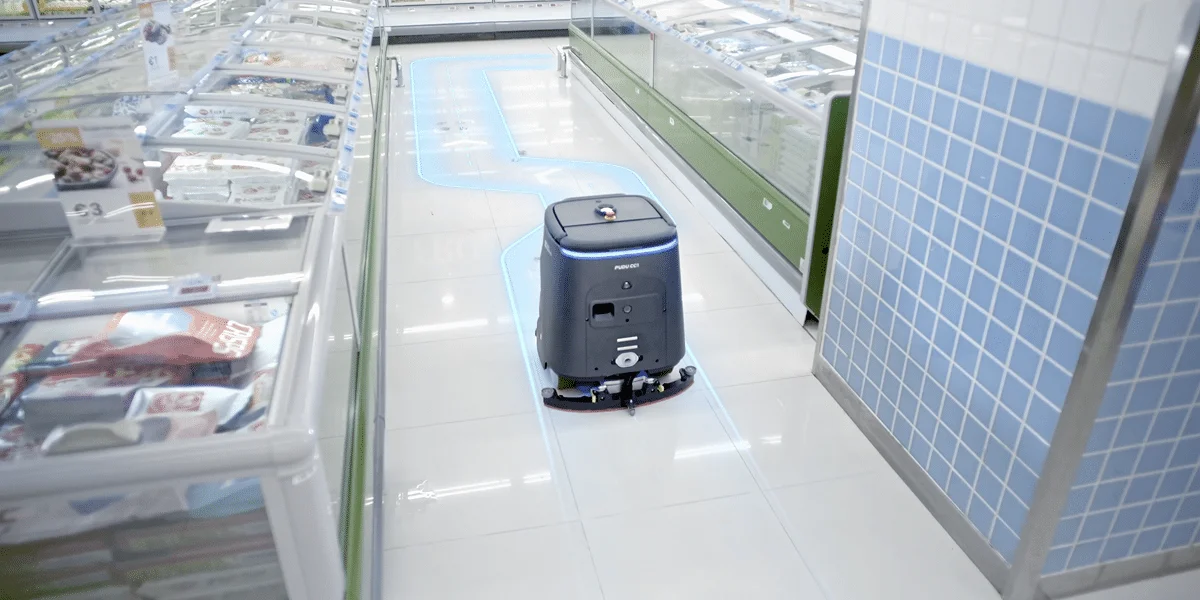
Connect a commercial cleaning robot using agreed documentation for the exact model and deployment. Being able to log into an app does not explain what the machine sends, who controls the account or how remote service works. This questionnaire collects answers from the supplier and IT before installation; it is not a universal robot network configuration.
On this page
Define what needs approval
PUDU provides an integration platform and describes remote diagnostics within PUDU CARE. Service scope depends on market and plan; US and Canadian packages should not automatically be assumed available elsewhere. These capabilities justify questions about permissions and data flows, but do not reveal the requirements of a particular installation.
Separate the robot on the site network, the operator app or portal and integrator access. Each may have a different owner, authentication method and update process. Establish which functions are essential to cleaning and which support reporting or maintenance.
Questions for the supplier and IT
| Area | Question requiring an answer | Expected evidence |
|---|---|---|
| Connectivity | Which interfaces, bands and authentication methods does this version support? | Model-specific network specification |
| Outbound traffic | Which domains, protocols and ports are needed, and why? | Connection list with purposes |
| Accounts | Who owns the account, what roles exist and how is access revoked? | Account administration procedure |
| Data | What stays locally, what reaches external services and for how long? | Data-flow and retention description |
| Service | Who can connect remotely and how is a session approved? | Support procedure and activity record |
| Updates | Who initiates them, when and how is a failed change handled? | Device maintenance procedure |
Do not fill gaps with assumed robot ports or guessed data-centre locations. The answers must address the model number, software version and market. “Internet required” is not a completed network specification.
Give the company account an owner
Assign responsibility for the organisation’s account, recovery and access changes when staff leave. Avoid leaving the only access on the installer’s personal phone. Confirm the login methods and roles actually provided; do not assume every administrative feature is supported.
Distinguish cleaning operator, administrator and service access in the permission record. Document the actions each role can perform. An “operator” label alone does not prove that the account cannot modify a map or delete information.
Assess connectivity across the working route
A measurement beside the dock does not describe the building. Agree checks covering corridors, storage areas, transitions between access points and an elevator route if included in the deployment. Let IT select the network segment and access rules using the supplier’s justified requirements.
| Acceptance check | Observe | Record |
|---|---|---|
| Ordinary task | Start, completion and report | Versions, time and area |
| Access-point transition | Continuity of task-critical functions | Interruption location and message |
| Agreed service interruption | Supplier-documented behaviour | Local functions and reconnection behaviour |
| Service session | Approval, scope and access termination | Person, duration and actions performed |
Conduct disruption checks in an approved window without affecting other users. Do not resolve a problem by disabling corporate protection or broadly opening traffic. Identify the particular unmet requirement first.
Hand over a maintainable system
Collect the completed questionnaire, account owners, device inventory, fault procedure and service contact. Include a review point after software or infrastructure changes. Retirement planning should cover revoking access and the agreed handling of stored information and accounts.
This questionnaire does not certify legal compliance or security. It gives IT and those responsible for data evidence with which to assess the actual solution. Record incomplete answers as outstanding acceptance tasks, rather than treating successful app installation as a complete handover.
Your next step
Send the questionnaire to the supplier and IT before installation. Each answer needs an owner and must refer to the exact device version.
Sources and method
Documentation checked on 12 September 2026. Model information comes from manufacturer materials. Acceptance sheets, comparison procedures and worked examples are RoboMorrow editorial analysis, not results of our hands-on device tests. Confirm requirements for the exact variant and market.